
How to Use Remini to Restore Old Photos – Tutorial 2026
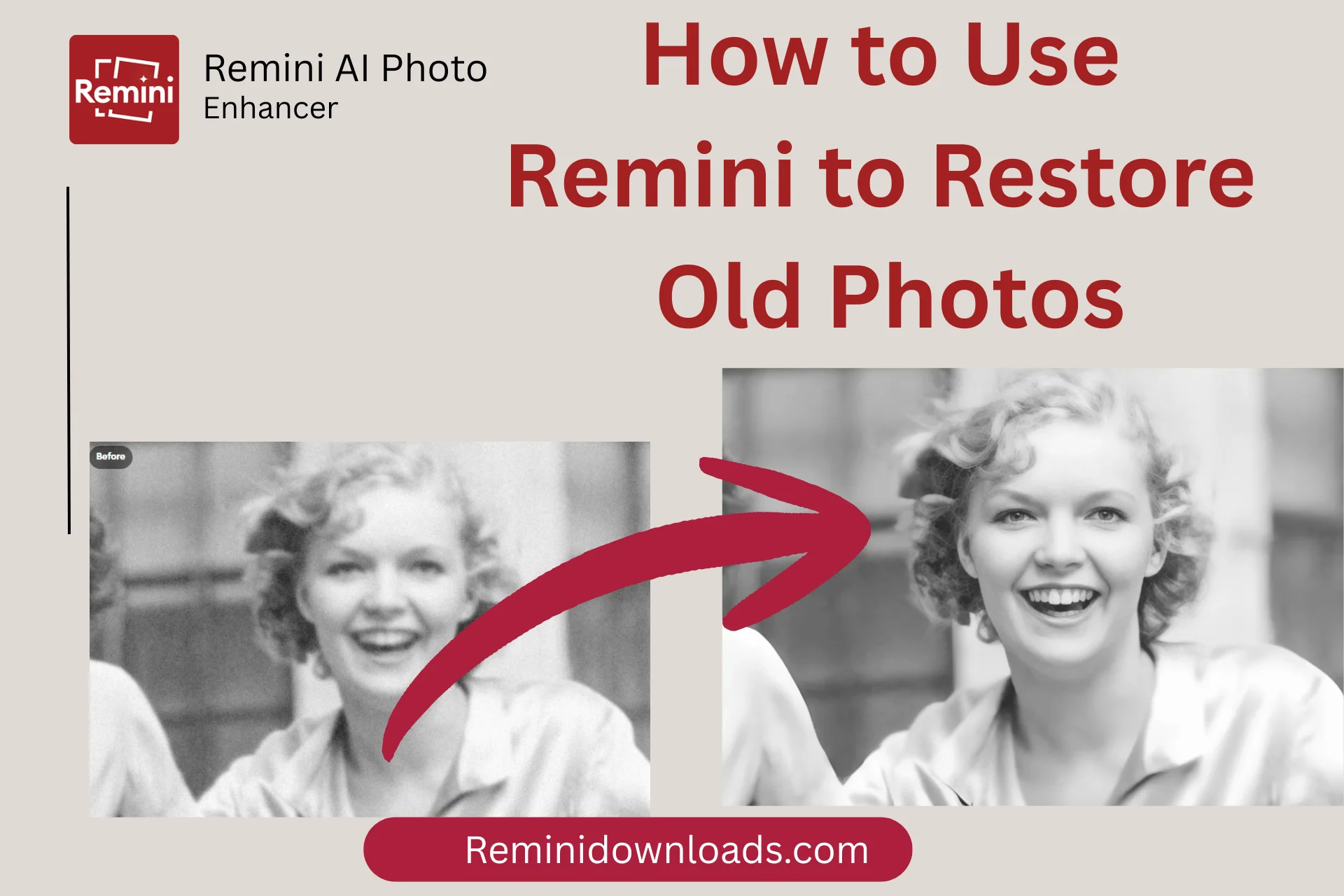
Old photos are memories in a sense which we like the most for the sake of old times but as the time passes the old images and photos start fading and becoming dull. These photos can also get damaged or get blurred and are not enough to gaze upon as the details of the images became shady. What to do with such old photos? Have you compromised that i have to see the blurred old photos to remember the old times? Not when Remini is here! It has a solution for you.
You can enhance and restore the old photos and memories with the help of Remini. Remini is an AI powered tool which help you bring back your memories with the help of AI. There are two versions of Remini App available, One is Android App version and other is Remini web version. You can use any of these two to restore your old and blurry images.
If you do not know how to use remini to restore old and pixelated images than what are we here for? We’ll walk you through a step by step tutorial on how to restore and enhance your old photos whether you are using remini app or remini web.
Old Photo restoration Features of Remini
Remini restore and enhance the old photos with the help of Artificial Intelligence on their cloud servers and allow you to download that upgraded image. It uses advanced deep learning algorithms to analyze the details and repair the image by improving its color, clarity and resolution. You can also colorize black & white images to give those photos a modern and up to dated look. There are the following features of remini which are used in old photo restoration process;
How to Use Remini to Restore & Enhance Old photos
As we discussed earlier, there are two versions of Remini Apk. One is Android version and the other is browser based web version. We’ll see how to restore old photos on both platforms one by one.
Restore Old Photos Using Remini Web
If you want to use bigger screen to see details and prefer to use computer for your old photo restoration process then you must use Remini Web Version. Follows these steps to use it
Open the browser in your computer and type “https://remini.ai/” and hit search.
This is the remini web version, navigate to features menu and click on “Old Photos Restorer”.
Click on Try Remini and upload your old images by clicking on Choose Files.
When the image is uploaded, go to AI Toolbar and select enhancement options. Now remini will automatically analyze your old image and apply all the necessary enhancements like noise reduction, scratch removal and color correction.
You can preview the before and after results after the enhancement, if you are satisfied than download the restored image. If not than you can run this process again to get a better result.
Restore Old Photos Using Remini App on Smartphone
If you are a smartphone guy and do not like to sit any where specific for your old photo restoration than you can use remini app on your Android or Apple device. Just follow these steps for best results;
Download the Remini App from app store of your device and install it.
Open the app and click on the Enhance feature to improve your images automatically. If you are not satisfied with the results than you can manually adjust the sharpness, brightness or contrast.
In the Remini Apk there is a specific tool called Scratch Fix to restore the scratches or damaged areas of the image. You can use this feature if automatic enhancement is not perfect.
If you are enhancing an old portrait then use specific Portrait feature to restore the facial features and enhancing skin tone. This will bring out professional grade results.
Preview the image, Once you are satisfied, you can save your enhanced image to your device. You can also directly share the enhanced image on social media using remini.
How to Enhance Blurry Images Using Remini
The main feature of remini is enhancing blurry and pixelated images and giving them a new life. If you want to enhance your blurry yet modern image, follow these steps;
Upload the blurry image to the web or app version of remini.
Use the Enhance Option to adjust the resolution and sharpness of the image.
Remini AI will enhance the photo in seconds automatically. You will be able to see before and after preview before downloading the image. If you are not satisfied with the results than you can make more adjustments according to your image.
How to Colorize Black & White Photos Using Remini
When we restore the old images using remini it just improves the resolution and features of a picture, it does not automatically change the colour of the image. If you want to give your black and white image a modern look than you can colorize that image using Remini’s colorizing feature. Just follow these steps;
Upload your black & White photo to web or app version of remini and select Colorize Option.
Remini’s AI will automatically apply colour to the image intelligently. It will make it fresh and modern.
Preview the results after processing, if you are satisfied than save that image to your device.
Why Should you Use Remini For Old Photo Restoration?
Every App has some pros and cons but Rimini has more and better pros instead of cons. These are the pros and cons of Remini which will tell you that remini is best app for old photo restoration.
Pros | Cons |
Easy to Use | Free version has many limitations |
Artificial Intelligent integrated for best results | Apk is not supported on Windows (just web version available) |
Multiple Photo restoration Tools | |
Many manual customization tools for photo restoration |
Tips for best Results
There are the following tips to get best out of Remini old Photo restoration tool
Alternatives of Remini for Old photo restoration
If you need a powerful tool with integrated artificial Intelligence and all necessary customization tools for old photo restoration than Remini is best for you. If you have issues downloading or installing remini than you can troubleshoot remini issues but still if you have very old device which is not compatible with remini apk than you can use other photo restoring apps like picwand AI photo restoration.
Conclusion
Remini is a perfect tool for anyone who is looking for a tool to restore old and blurry images and making them more natural, fresh, modern and colorized. You have great compatibility options of using this app on your smartphone device or on your PC. It is a quick app to restore your image. So why are you letting your old memories fade? Bring them back to life!